HushCastAndroid screen casting on your own WiFi
Cast without the cloud.
Your Android screen and sound, in a browser on the same WiFi. Nothing to install on the other screen.
- No account
- No cloud
- No ads
- Works on WiFi without internet
1:57 The film
See a cast,
start to finish.
Two minutes from tapping Start to watching in a browser: Live, Listen and Cinema, on one WiFi, with no account, no cloud and no upload.
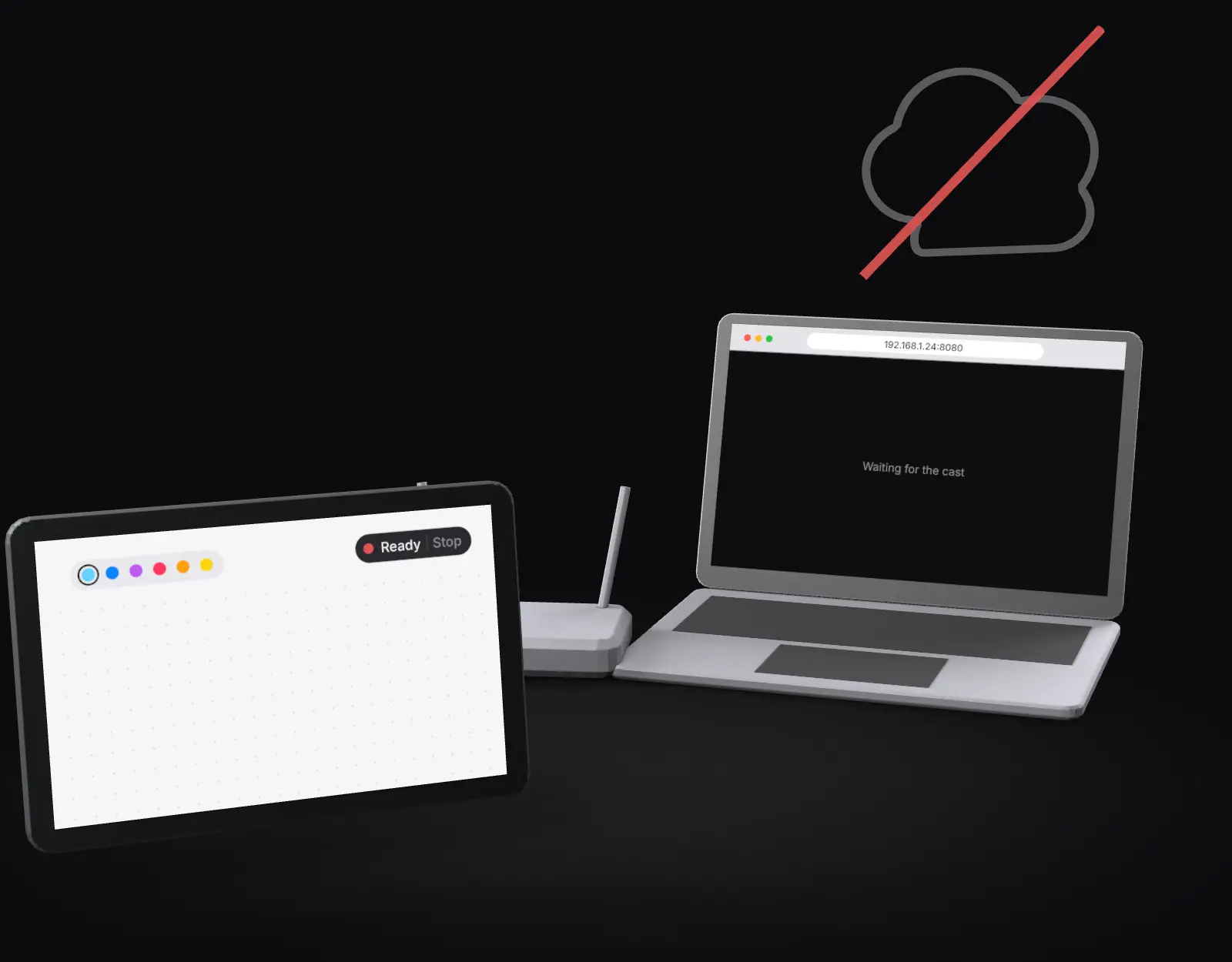
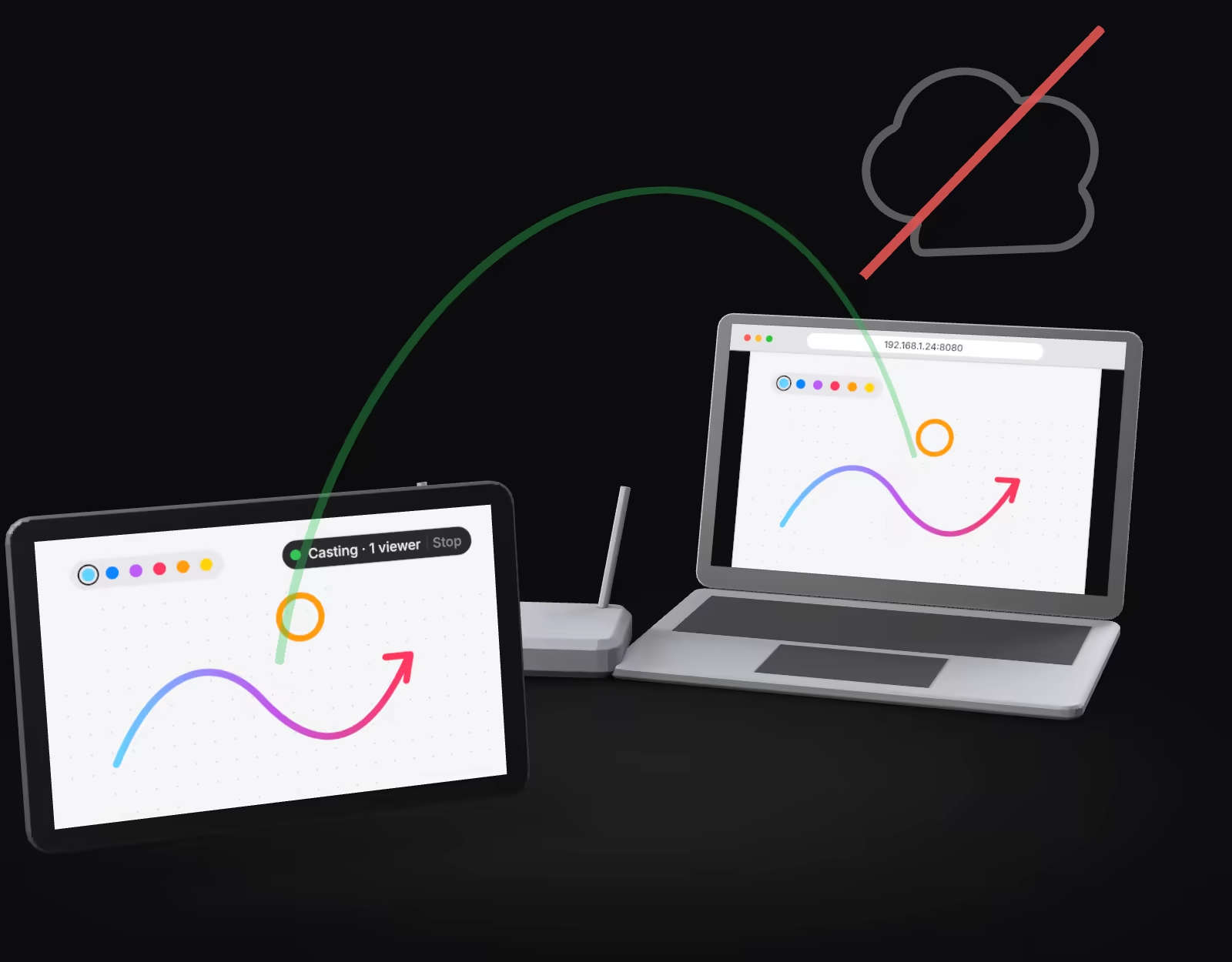
A tablet and a laptop inside a house outline: a line carries the cast through a router while the cloud stays outside. Screen recordings show Android asking for permission, a link and QR code, and a drawing appearing in a browser about a fifth of a second later. The app icon dot turns from red to green. Sound rings illustrate Listen, and a short film plays in Cinema about ten seconds behind. The cast carries on when the internet is unplugged, then ends with Stop.
The film shows its text on screen. English captions are in the player menu. Cinema scenes use Big Buck Bunny © Blender Foundation, peach.blender.org, licensed CC BY 3.0.
01 Simple
Start. Open. Watch.
Nothing to install on the other screen. No sign-in anywhere.
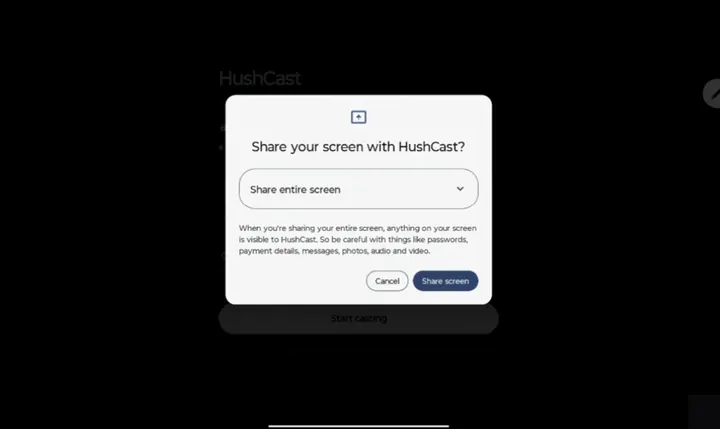
Start
Tap Start casting and allow screen sharing.
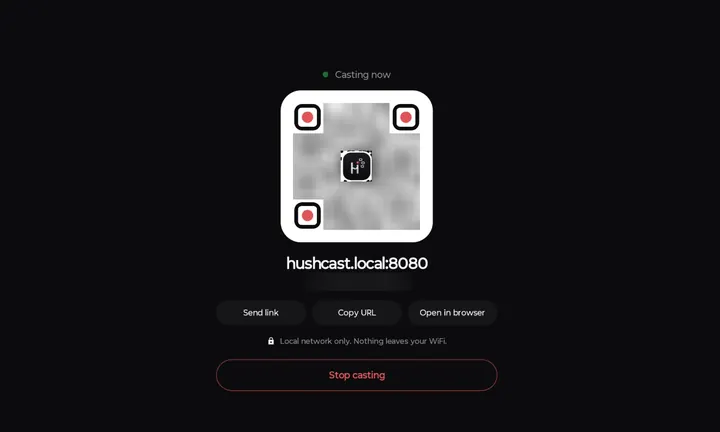
Open
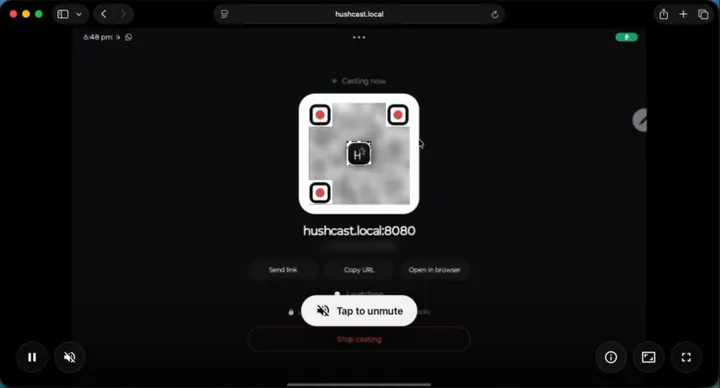
On a computer or phone on the same WiFi, scan the QR code or type the address.
Watch
It starts by itself. Tap Stop whenever you like.


Live
Sketch or teach on a bigger screen
Draw on your tablet and show it on a laptop the room can see, about 0.2 s behind your pen.
Live
Present an Android app
Walk people through an app, a document or a game from your phone, with its sound.
Cinema
Share your own videos
Play videos you made or saved to a bigger screen, up to the 4K setting. Protected streaming apps stay black.
02 Three modes
Draw something.
Watch it arrive.
Pick a mode, then draw on the tablet. The screen beside it shows what the person watching would get.
Your tablet
Their browser about 0.2 s behind
Live supports one viewer at a time.
What if a second person opens the link?
They see "This cast is full" until the first viewer leaves. You see the viewer count on your device and can tap Stop at any moment.
Listeners
2 listening, free up to 10 with Unlock
No picture is captured or sent.
Their browser about 10 s behind
Live
Your screen and sound with almost no delay, about 0.2 s. Made for drawing and presenting. Up to 1080p.
Illustration: the delay is simulated in your browser. Real delay depends on your WiFi.
03 Private
The line never
leaves the house.
Your stream goes from your device to a browser on the same WiFi. There is no server in the middle, so there is nothing to upload.
- Your tablet casts the screen
- Your WiFi router carries it inside your home
- A browser on the same WiFi watches it
- The internet not used
Internet connected. The cast doesn't use it.
Illustration: this switch only changes the drawing above. It does not touch your network or any real cast.
What's true
No account. No cloud. No upload.
The app has no ads and no analytics. It keeps working on a WiFi with no internet at all.
You can always see it
The dot turns green.
Android shows its own screen-capture notice, a small badge floats on screen, and the icon dot turns green. Stop is one tap.
Plain truth
There is no password yet.
Anyone on the same WiFi who has the address can open the page. In Live, the first viewer takes the only seat. Cast on a network you trust.
Plain truth
It is not encrypted.
The stream stays on your WiFi, and we don't claim more than that. Use a network you trust.
04 Pricing
Try everything.
Pay once.
Your first 5 casts are fully unlocked. After that, Listen stays free forever. One purchase unlocks the rest. No subscription. No ads.
| Mode | Free forever | Unlock |
|---|---|---|
| Listen | Unlimited time, 2 listeners | Up to 10 listeners |
| Live | Up to 720p, 7 minutes per cast | Up to 1080p, no time limit |
| Cinema | Not included | Included, up to 4K |
| Cost | Free | One purchase |
A cast counts after 2 minutes with a viewer connected. Refunds follow Google Play's policy.
05 Good to know
A few honest limits.
- Protected video stays private.Apps that protect their video show black and silence. That is Android's rule, and HushCast does not get around it.
- Rotation is set when you start.Turn your device the way you want it before you tap Start.
- Some WiFi keeps devices apart.Some routers block devices from talking to each other. If that happens, try another network or a phone hotspot.
- The number address always works.hushcast.local:8080 works on some devices. The QR code and the number address always do.
- A phone stays tall.On a phone, the picture keeps the phone's tall shape in the browser.
06 Questions
Straight answers.
Who can see my screen?
Anyone on the same WiFi who has the address. In Live only one person can watch at a time. You see the viewer count and can Stop at any moment. There is no password in this version, so use a network you trust.
Is it encrypted?
No. It stays on your local network and is not encrypted. We say "stays on your WiFi" and nothing more.
Does it use the internet?
No. It works on a WiFi with no internet. Only buying the unlock goes through Google Play.
Why does Android show the microphone indicator?
In Live and Listen, the audio engine opens the microphone only to keep time. The microphone sound is never sent. What is sent is the sound your apps play.
Do I need an account?
No. Not on your device, and not on the screen that watches.
Which devices work?
Android 10 or newer, phones and tablets. The person watching needs only a browser.
How much delay is there?
Live: about a fifth of a second. Cinema: about 10 seconds.
Why is the picture black for Netflix and similar apps?
Android blocks screen capture for protected video. HushCast cannot and does not get around it.
What is the address I type?
The app shows it under the QR code. hushcast.local:8080 works on some devices. The number address, like 192.168.1.24:8080, always works.
It does not connect. What now?
Make sure both devices are on the same WiFi. Some routers block devices from talking to each other. Try another network or a phone hotspot.
Is HushCast free?
Your first 5 casts have everything unlocked. After that, Listen stays free with 2 listeners, and Live is free up to 720p for 7 minutes per cast. One purchase unlocks everything.
Can I get a refund?
Purchases go through Google Play and follow its refund policy.
Idle: red dot
Tap the icon. The dot is how the app shows its state.
07 Availability
Your screen. Your WiFi.
A bigger possibility.
HushCastComing soon to Google Play
Release information. There is no download yet, and no sign-up.
- Android 10 or newer, phones and tablets
- First 5 casts fully unlocked
- No account, no cloud, no ads
Your screen and sound go straight to a browser on the same WiFi. Nothing to install on the other screen.